 By Marcus Bell
Editor-in-Chief
MLB Tee Catalog vs Sheets: Organize Colors and Sizes
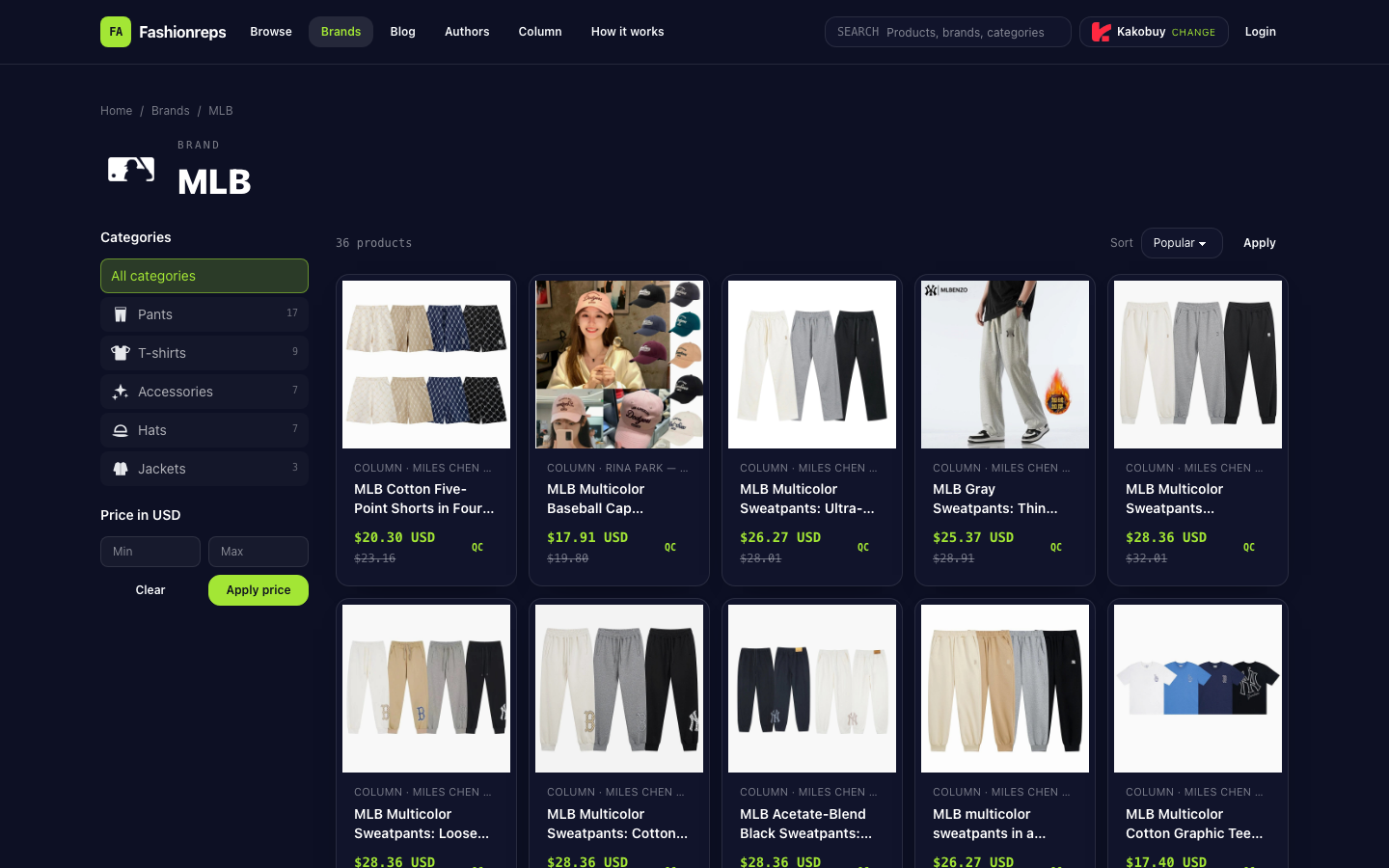
First answer: website for discovery, spreadsheet for records If the goal is to organize multicolor tee candidates from fashion-reps' MLB catalog, a reliable division of work is: first discover candidates on the site catalog, view product images, and open product links; then record colors, sizes, price display, link status, and items needing verification in Google Sheets. This separates "seeing an item" from "being able to review it later." fashion-reps' MLB brand page currently shows 36 produ
Editor score 4.2 / 5
First answer: website for discovery, spreadsheet for records
If the goal is to organize multicolor tee candidates from fashion-reps' MLB catalog, a reliable division of work is: first discover candidates on the site catalog, view product images, and open product links; then record colors, sizes, price display, link status, and items needing verification in Google Sheets. This separates "seeing an item" from "being able to review it later."
fashion-reps' MLB brand page currently shows 36 products, categorized into pants, tees, accessories, hats, and jackets; the page shows 9 tees. This count is the visible catalog info at the time of this page check and should not be taken as a permanent stock or purchasable quantity.

The image is an illustration of the catalog-spreadsheet division of work, not actual product, quality check, or firsthand evidence.
Step 1: Only discover candidates on the catalog page
Open the MLB brand page, then use existing category and price filters to narrow to tee-related entries. Don't copy all fields into the spreadsheet at once, and don't treat the color count in the product title as a verified color list.
In this visible catalog, one product title says "86 Colorway Codes" with size range S–XXL; another navy cotton tee title shows S–XXL. They can be recorded as candidates, but "colorway codes" in the title describes how the page presents information, not that 86 color names, stock, or orderability per color have been confirmed.
When viewing candidates on the catalog page, first record this minimum info:
- Full product title as shown
- Page category
- Reference price shown, if any
- Product image link on page
- Whether product detail link opens
- Colors, color codes, or size range in title
- Items still needing detail page confirmation
The catalog page provides entry points and context. It suits quick browsing of different candidates, but is not for long-term verification records, because colors, sizes, and product status in the same title may need separate confirmation on the detail page.
Step 2: Break candidates into filterable fields
In Google Sheets, one row per product candidate is recommended, not one row per color. Only split into finer color rows when the detail page explicitly lists color codes, size combos, or variant status.
| Field | How to record | Purpose |
|---|---|---|
| Product title | Copy page title exactly | Easier to revisit original page |
| Category | e.g., T-shirts | Exclude pants, hats, etc. |
| Page color info | Record color names or colorway wording as is | Distinguish shown info from personal interpretation |
| Size info | Record ranges like S–XXL as is | Avoid expanding into unshown sizes |
| Page reference price | Record shown value with note "reference price" | Prevent treating as final payment |
| Image status | Viewed, not viewed, or needs review | Track image evidence completion |
| Link status | Opens, pending, or invalid | Identify whether to stop further work |
| Items to verify | Color, size, stock, etc. | Clarify next step, not guess |
| Check time | Record date of this check | For later recheck of changes |
The MLB multicolor cotton graphic tee on the page showed a reference price of 17.40 USD with a previous reference price of 19.22 USD. This "reference price" should only be saved as a page field, not used to infer final payment, shipping, stock, or order availability.
Step 3: Filter with the spreadsheet, not memory
After initial recording, filter in this order:
- Filter records with category T-shirts.
- Filter records whose titles clearly show multicolor, color codes, or specific colors.
- Review size fields separately, distinguishing "explicitly stated on page" from "not yet confirmed."
- Filter records with pending link status, then reopen the catalog or detail page.
- Keep unresolved fields as "to verify"; don't fill in with info from adjacent products.
The value of this organization is not copying more from the catalog, but preserving evidence boundaries. For example, "86 Colorway Codes" in the title can be recorded as page text; without a per-color list, don't fill in 86 color names yourself.
What the website catalog and Google Sheets each suit
The website catalog suits three tasks: discovering candidates, viewing page images, and opening product or detail links. It preserves product titles and page context, helping judge whether a candidate is worth further verification.
Google Sheets suits four tasks: unifying fields, filtering candidates, marking verification status, and keeping review records. It does not replace product pages and cannot fabricate missing color, size, stock, or price info.
Thus, they are not competing for the same function. The website provides original entry points; the spreadsheet organizes multiple entry points into a checkable task list. When multiple people need to view, the spreadsheet can serve as a shared record, but shared content should still be based on facts verifiable on product pages.
When to stop filling the spreadsheet
Stop expanding info into specific conclusions and leave a record in "items to verify" when:
- Product detail link doesn't open; cannot confirm color or size.
- Image shows style but cannot confirm corresponding color name or code.
- Page says multicolor without listing specific colors.
- Page shows reference price but insufficient info to judge shipping, final amount, or stock.
- Product link broken, removed, or shows unavailable.
- Catalog and detail page titles, colors, or sizes don't match.
If a product can no longer be opened or confirmed available, don't write it as a purchase recommendation. Keep it as a historical candidate with status "needs review" or "unconfirmable," preserving the organizational trail without packaging incomplete evidence as conclusion.
A reusable minimal workflow
First filter tees on the MLB brand page, then open candidate products and record title, color info, size info, reference price, and link status exactly as shown on the page. Then put each candidate into Google Sheets and use filters to find multicolor entries and incomplete verification records. Finally, recheck links one by one and change broken or unconfirmable items to stopped status.
For this catalog, the most important judgment isn't which tee is better, but which fields are clearly provided by the page and which still need detail page evidence. By separating these two types of info, the website catalog and Google Sheets can each perform clear, reviewable work.