 By Marcus Bell
Editor-in-Chief
How to Check Nike Color and Size Mismatch on FashionReps
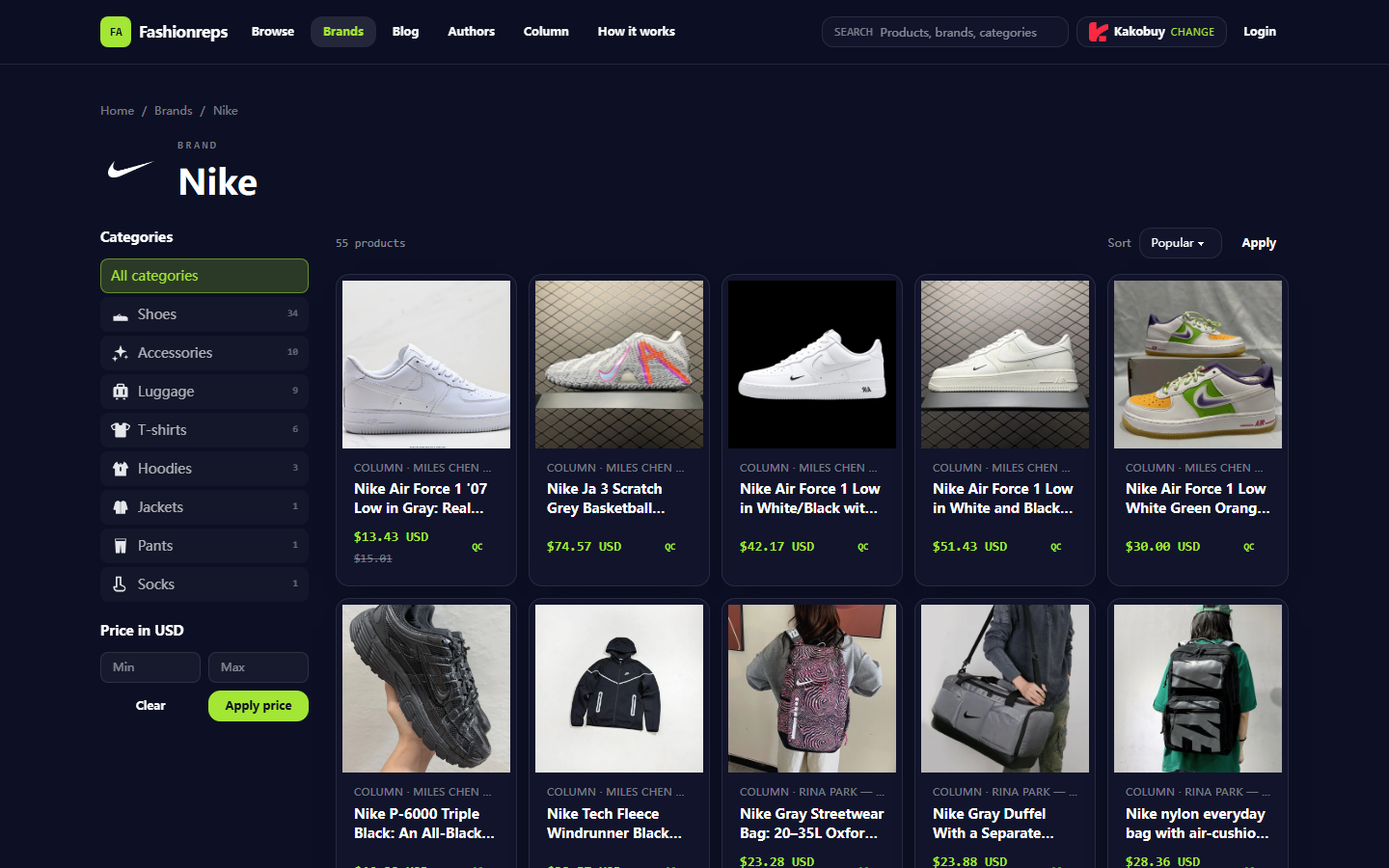
When browsing Nike items on fashionreps, if the product title, images, color options, or size chart don't match each other, don't rush to click buy. The goal here isn't to judge authenticity or guess seller inventory, but to confirm whether the specific variant you intend to order can be clearly identified on the page, and to leave enough verification records. 🧭 This article covers only one issue: how to troubleshoot when you find mismatched color and size informati
Editor score 4.2 / 5
When browsing Nike items on fashionreps, if the product title, images, color options, or size chart don't match each other, don't rush to click buy. The goal here isn't to judge authenticity or guess seller inventory, but to confirm whether the specific variant you intend to order can be clearly identified on the page, and to leave enough verification records. 🧭
This article covers only one issue: how to troubleshoot when you find mismatched color and size information for a Nike item before ordering. After reading, you should be able to complete a page evidence check and decide whether to keep it as pending confirmation, seek official help, or stop. Page content, inventory, prices, variants, and link status may change, so always refer to the current page on the day of use or publication.

Scope of the Issue and Evidence Boundaries
Color and size mismatches typically appear as one or more of the following:
- The title says one color, but the main image or variant options show another.
- The product description mentions multiple colors, but the page has no corresponding selection buttons.
- The size chart doesn't match the available size range, e.g., the text lists several sizes but the variant area shows only a few options.
- Images show multiple colorways, but the page doesn't specify which one corresponds to the current product.
- After selecting a color, the size options don't update, or a certain option can't be selected properly.
- The product detail page shows different names, colors, or size ranges than the brand listing page.
These observations only indicate that the page information needs further verification; they do not prove that fashionreps, the seller, or the specific item is malfunctioning. Nor can you judge material, actual color, fit, or stock status from product images alone.
When verifying, save this evidence: full product page URL, page title, currently selected color, currently selected size, size chart, variant area, key images, and page display time. Do not share order numbers, payment cards, full shipping labels, or other personal information.
Check Style Information from the fashionreps Product Page
Start from the product detail page, not directly from search results, brand listings, or thumbnails. Confirm that the page has:
- A clear product name or style name.
- A recognizable color field or variant options.
- A recognizable size field, size chart, or measurement instructions.
- Product images that correspond to the current style.
- The page loads properly and is not blank, redirected, or just category tags.
fashionreps' brand catalog may show shoes, clothing, bags, and accessories together. Similar names do not mean the same item, especially when a brand has multiple similar colorways or versions. Record the full product page name before proceeding.
If you can only see brief cards in the brand listing without specific variants and size info, do not use the listing page as a basis for ordering. Listing pages are good for discovering items; detail pages are for verifying variants.
Check Color, Size, and Variant Options
Break the page information into three separate fields: product name, color, and size. Do not automatically treat words in the title as confirmed variants.
| Check Item | Evidence to Confirm | Action if Mismatch |
|---|---|---|
| Product Name | Title, detail description, and images point to the same style | Pause and re-confirm if you opened a similar item |
| Color | Title, color options, and current image correspond | Record each color option; don't guess from the main image |
| Size | Size options, size chart, and applicable category match | Record units, measurement points, and available size range |
| Color and Size Combination | After selecting color, size options still work | If combination disappears or can't be saved, stop ordering |
Suggested check order:
- Clear existing color and size selections to avoid inheriting previous browsing state.
- Click each visible color option and observe if product name, main image, and size options change accordingly.
- Record available sizes for each color separately, not just the initially displayed sizes.
- Open the size chart and confirm it applies to the correct category: shoes, tops, pants, etc.
- Check if size units are centimeters, inches, EU, UK, or other labels, and record the page text.
- Refresh or reopen the detail page to confirm selections haven't changed due to temporary state.
If color names are just broad descriptions like "black" or "gray" but images show clearly different stitching, sole, or trim colors, mark it as pending confirmation. Don't add image details into your order notes. 👟
Compare Product Images and Text Descriptions
Images only help confirm what the page displays; they cannot prove the actual received item will match exactly. When checking images, focus on whether they correspond one-to-one with the text:
- Does the main color in the image match the color option name?
- Do multiple images show the same style, not different colorways or size samples?
- Are the upper, sole, laces, logos, or stitching areas explained in the text?
- Could the color name just be a series name, not the currently purchasable colorway?
- Are there obvious differences between images without corresponding variant explanations?
Build a simple evidence chain: what the page text says, what the color selector allows, what the images show, and what the size chart applies to. Only when all four support each other can you proceed; if any one fails to correspond, keep the question open.
Do not use "the image looks like this color" as the final judgment, or treat screen display differences as actual color discrepancies. Device screens, compression, and lighting can affect visual judgment. 📷
Record Page Update Time and Link Status
Before ordering, record the verification date and time. Prices, inventory, sizes, color options, page copy, and link status may change, so old screenshots cannot replace current page checks.
Save a brief record:
- Product page title: Record exactly as displayed.
- Page URL: Save the full address, not just the search result title.
- Verification time: Note time zone or at least date and approximate time.
- Color results: List the options actually provided.
- Size results: List options and units.
- Mismatch location: Point out specific conflicts in title, images, variants, or size chart.
- Page status: Record if it loads, if selections save, if errors appear.
- Personal judgment: Mark as "can continue checking", "needs official confirmation", or "stop".
If the page shows different content after refresh, keep the latest evidence and note the change. Do not test inventory by repeatedly submitting orders, or create orders just to verify colors. That could lead to duplicate purchases or hard-to-cancel states.
When to Stop Ordering and Seek Official Help
Stop ordering if any of the following occurs:
- Color options, title, and images cannot be matched, and the page has no further explanation.
- After selecting a color, size options disappear, change automatically, or cannot be saved.
- The size chart lacks applicable category, units, or measurement method.
- The product page shows conflicting information across refreshes or entry points.
- The page is unstable, or key variant info appears only in search snippets.
- You cannot confirm that your final color and size selection will be recorded in the order.
- The page asks for sensitive personal data to explain ordinary product info.
When seeking official help, provide minimal necessary info: product page URL, page title, conflicting fields, verification date, and privacy-masked screenshots. Mask name, phone, address, order numbers, payment info, and other account details. Do not ask them to guess your size from blurry images, or state unconfirmed colors as facts.
If official channels cannot confirm the specific variant, the safest conclusion is to hold off purchasing until the page info is corrected or find a more complete listing. Stopping an unclear purchase is usually more controllable than dealing with color errors, size issues, or returns after ordering. 🛑
Troubleshooting Checklist
After verification, do a final check in this order:
- [] Started from the product detail page, not listing thumbnails.
- [] Recorded current page title and verification time.
- [] Recorded color and size options separately.
- [] Confirmed size chart category, units, and measurement method.
- [] Checked each color-size combination for selectability.
- [] Compared images and text without writing image observations as product guarantees.
- [] Confirmed selection state remains clear after refresh or reopen.
- [] Saved screenshots of conflict areas with personal info masked.
- [] Did not test inventory or variants through repeated orders.
- [] If key fields still conflict, stopped ordering and prepared to seek official help.
Next Steps
If all fields correspond and the page can stably save color and size selections, you can proceed to regular pre-order checks, but still refer to the final order page. If only some information is clear, keep the item as pending confirmation and do not fill in missing fields with guesses.
This troubleshooting method saves time from one wrong order, repeated communication, and later returns; it adds a few minutes of page recording and necessary official confirmation. It suits buyers who value color accuracy, size matching, and order traceability. It does not suit those who want to order quickly based only on main image, title, or search snippet, or those who continue trying when the page is unstable.