 By Marcus Bell
Editor-in-Chief
Christian Louboutin: Verify Missing Items After Warehouse
Introduction If you found a Christian Louboutin item on fashionreps and your order shows as checked into the warehouse, pending, or incomplete, don't immediately assume the seller under-shipped, and don't rush to request a refund or reorder. You need to separately verify the product catalog, the external shopping agent's order line, the warehouse inbound record, and the QC status. 🧾 This article addresses one spe
Editor score 4.2 / 5
Introduction
If you found a Christian Louboutin item on fashionreps and your order shows as checked into the warehouse, pending, or incomplete, don't immediately assume the seller under-shipped, and don't rush to request a refund or reorder. You need to separately verify the product catalog, the external shopping agent's order line, the warehouse inbound record, and the QC status. 🧾
This article addresses one specific issue: the order may show that the item has arrived at the warehouse, but you can't confirm the quantity, variant, packaging markings, or next-step status. After reading, you should be able to complete a traceable order verification and decide whether to keep waiting, provide additional information, contact shopping agent support, or temporarily halt further actions.
First, note that the fashionreps page is mainly for discovering and viewing product information. The visible disclaimer on the page states that orders, payments, and logistics are handled by an external shopping agent chosen by the user. Therefore, the fashionreps product page alone cannot prove that an item has arrived at the warehouse, is missing, or has passed QC. This article does not interpret incomplete page status as a target site malfunction, nor does it directly conclude that missing status means the seller under-shipped.

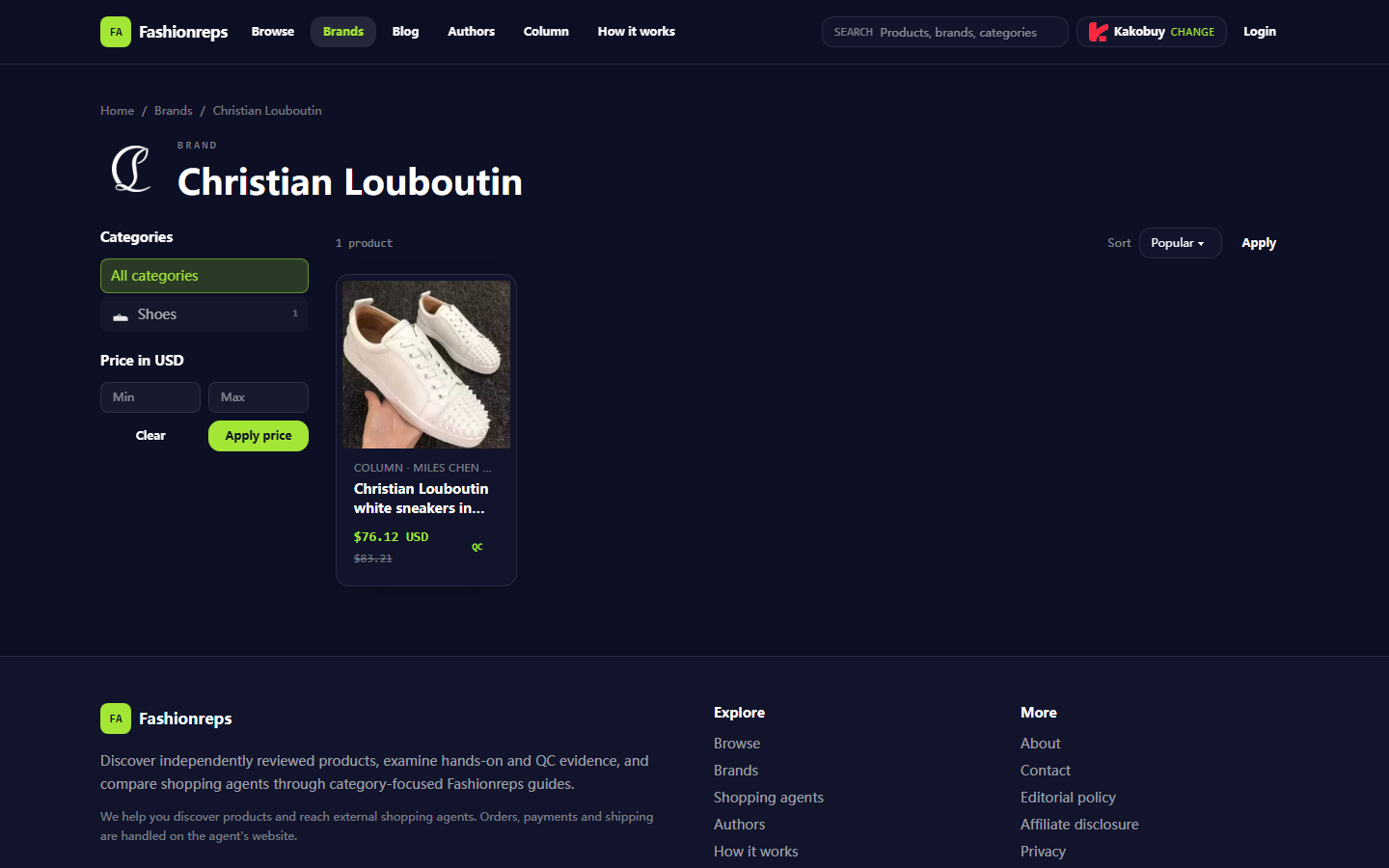
Image: Christian Louboutin brand catalog page on fashionreps. This page is for product discovery and does not equal the warehouse records of a specific order.
Verification date: 2026-10-14. Judgments involving quantities, inventory, order status, fees, and logistics should be based on your logged-in shopping agent order page and its latest records.
Specific decisions to make for christian louboutin warehouse check-in verification
The goal of this verification is not to judge authenticity or evaluate the shoe material, but to achieve the following four decisions:
- Whether the product name, quantity, and variant in the order match the original order details.
- Whether the warehouse page shows checked in, pending inspection, pending additional info, missing items, or not yet listed.
- Whether there is clear evidence of a missing item or accessory.
- Whether you need to pause and contact official support before proceeding with consolidation, shipping, refund, or reorder.
If the page only shows a vague "processing" or "pending" without order lines, quantities, inbound times, or remarks, do not treat it as a missing item conclusion. Conversely, if the same order line shows an expected quantity of 2, a warehouse actual received quantity of 1, or the warehouse remarks explicitly state a missing shoe box, accessory, or individual item, that qualifies as a discrepancy requiring escalation.
Confirm product, quantity, and variant from fashionreps order and warehouse page
First, open the corresponding Christian Louboutin product record on fashionreps, save the product name, visible specifications, reference price, and product page screenshot. The currently visible catalog information shows a shoe item under the Christian Louboutin category, with a product name and reference price, but such catalog information cannot replace your shopping agent order records, nor can it prove that your actual order has arrived at the warehouse.
Then, log into the shopping agent account where you placed the order, and verify in the following order:
- Whether the order number or purchase order number is consistent.
- Whether the product title corresponds to the original item.
- Whether the product link or product identification still points to the same style.
- Whether size, color, version, or other variants match.
- Whether the purchased quantity matches the warehouse actual received quantity.
- Whether the order line has been split into multiple packages, multiple inbound batches, or multiple warehouse records.
- Whether there are seller remarks, warehouse remarks, inbound time, or pending reasons.
Do not rely solely on the order total amount. The total may include multiple items, service fees, discounts, or exchange rate conversions, and cannot prove the quantity of a specific Christian Louboutin order line alone. Also, do not rely solely on product thumbnails to judge variants, as thumbnails may not show size, color, or accessory differences.
How to distinguish pending inspection, pending additional info, missing items, and not yet listed
Naming may vary by shopping agent. Verify based on page definitions and visible remarks. Start with the following evidence logic:
| Page indication | Facts that can be confirmed now | Facts that cannot yet be confirmed | Suggested action |
|---|---|---|---|
| Checked in or received, but no QC photos | Warehouse system has recorded arrival | Appearance, accessories, and quantity fully meet requirements | Wait for QC or check if individual inspection can be requested |
| Pending, processing, or not yet listed | System has not given a completed status | Whether item is missing, whether actually received by warehouse | Save status and time; do not conclude missing item yet |
| Pending additional info or confirmation | Order requires user or support to provide extra information | Whether item can be consolidated or shipped | Check specific fields and supplement per official page requirements |
| Order quantity and actual received quantity do not match | Clear quantity discrepancy exists | Discrepancy is due to partial inbound, split package, or under-shipment | Pause further actions and contact official support |
| Warehouse remarks explicitly state an item is missing | Page has direct missing item record | Whether seller will reship or refund | Save remarks and submit order-level issue to shopping agent |
| Order line has no warehouse record | Current page shows no visible inbound evidence | Item is in another package or awaiting entry queue | Check package split and inbound filters |
"Not yet listed" does not equal "not received". The warehouse may still be processing the package, linking orders, or logging items. Only when the page clearly shows quantity discrepancy, missing item remarks, or support team confirmation can the issue be escalated as missing.
How to compare item quantity, packaging markings, and order line item by item
It is recommended to create a simple verification record, checking by order line rather than by page image order. Each line should record only one item or one clear set of accessories, avoiding merging two pairs of shoes or two different sizes into one vague conclusion.
Verification fields can include:
- Original order line name.
- Order line quantity.
- Selected size and color.
- Product link or identification.
- Package number or warehouse inbound number.
- Warehouse displayed quantity.
- Whether shoe box, spare laces, dust bag, or other accessories are separately recorded.
- Current status and last update time.
- Whether there are QC photos or warehouse remarks.
- Discrepancy description and next step.
If the order contains multiple identical items, verify quantity and variants separately. For example, two sizes of the same style cannot be replaced by a single product title. If the warehouse splits the same order into multiple packages, first confirm that all packages have completed inbound before judging whether an item is missing.
Packaging markings are only auxiliary evidence. Outer box labels, package numbers, or warehouse photos can help establish correspondence, but cannot prove the contents are complete alone. Not seeing accessories does not necessarily mean they are missing; some warehouses only photograph the main item or place accessories in the same package without separate listing. 📦
What visible evidence to save when the page is incomplete
Before refreshing the page, submitting a ticket, or waiting for status changes, save the minimum evidence set that allows re-verification:
- Order number, keeping only the last few digits if necessary for internal reference.
- Product order line name and quantity.
- Variant information, such as size or color.
- Package number, inbound number, or warehouse record number.
- Current status, status update time, and any remarks shown on the page.
- Warehouse photos that clearly show item quantity or packaging markings.
- Screenshots of incomplete page, loading failure, or empty fields.
- Actions you have already taken and their times.
Before taking screenshots, cover name, phone number, address, payment card information, full order number, and full shipping label. Do not upload passport, ID, or payment vouchers to public discussion areas, and do not expose complete logistics labels to prove missing items. 🔒
If the page only shows orders under specific filter conditions, also record the filter conditions and time range. For example, the "pending" filter results do not represent all orders; switching to "all", "checked in", or "exceptions" views may reveal order lines not previously visible. If the page has multiple warehouses or multiple packages, check each one, not just the default list.
Do not interpret missing status as seller under-shipment or product defect
Missing status can arise from various situations: order line not yet linked to a package, packages arriving in batches, warehouse still listing, QC not completed, page filters hiding records, seller shipping separately, or system requiring manual information. Merely lacking photos, update times, or showing pending cannot prove the seller under-shipped or that the product quality is defective.
Similarly, the fashionreps product catalog page only shows the visible product information. It cannot replace the shopping agent's warehouse weighing, inbound photos, QC records, or order support conclusions. Do not use the catalog reference price to calculate refund amounts, and do not treat one item in the catalog as the actual quantity in your order.
The issue should only be described as "quantity discrepancy requiring verification" when the following evidence combination appears:
- Original order line clearly shows purchased quantity.
- Warehouse record clearly shows a lower actual received quantity, or lists missing items.
- All relevant packages and inbound filter conditions have been checked.
- Page does not show partial inbound or awaiting linkage instructions.
- Shopping agent support team has not provided another explanation.
Before these conditions are complete, use neutral terms such as "status incomplete", "quantity not yet confirmed", or "order line lacks visible record". This avoids misjudgment and helps support locate the issue faster.
Order information and issue description before contacting official support
If verification still cannot confirm, first submit a question through the official customer service, order ticket, or help center within the actual shopping agent account. The fashionreps product page is not the warehouse processor for your actual order, so do not submit warehouse missing item issues to a page channel unrelated to that order.
The issue description should be brief, verifiable, and include:
- Order number or masked order identification.
- Product order line name, quantity, and variant.
- Displayed package or inbound number.
- Current page status and last update time.
- Packages, filter conditions, and order lines you have checked.
- Specific discrepancy, e.g., "order line shows 2 items, warehouse record shows 1 item", rather than a vague "something is missing".
- What you want support to confirm: whether partial inbound, pending listing, need additional info, or actual missing item.
Do not ask customer service to bypass normal warehouse records in the ticket, and do not request a seller refund without providing order line and inbound evidence. If return/exchange windows apply, first confirm the shopping agent's applicable rules, time limits, and required photos before deciding to submit a return or after-sales request.
Pause, re-verify, and next-step checklist after christian louboutin warehouse check-in
Pause consolidation, shipping, discarding packaging, requesting refund, or repurchasing until the following situations are confirmed:
- Unexplained discrepancy between order quantity and warehouse quantity.
- Key size or color cannot be confirmed.
- Order split into multiple packages, but some packages have not completed inbound.
- Page shows pending additional info, and you don't know what is needed.
- QC photos or warehouse records show incomplete accessories, packaging, or item lines.
- Return/exchange or after-sales deadline is approaching, but support has not confirmed handling method.
If order line, quantity, variant, and inbound status all correspond, and there are no clear anomalies, you may continue waiting for QC or proceed according to the next-step actions provided on the shopping agent page. If you ultimately decide to consolidate, re-verify all order lines and package numbers to avoid shipping unconfirmed items.
Finally, use this checklist for re-verification:
- [] Saved visible information from fashionreps product page, but did not treat it as warehouse evidence.
- [] Confirmed actual shopping agent, order number, and order lines.
- [] Verified quantity, size, color, and other variants.
- [] Checked all packages, inbound records, and filter conditions.
- [] Distinguished pending inspection, pending additional info, missing items, and not yet listed.
- [] Saved necessary screenshots and masked personal privacy information.
- [] Avoided interpreting missing status as seller under-shipment or product defect.
- [] Submitted order-level issue to actual shopping agent official support when needed.
- [] Did not proceed with consolidation, shipping, refund, or reorder until discrepancy resolved.
This verification method is suitable for buyers who need to confirm order status, quantity, and warehouse records; it is not suitable for proving authenticity, judging material quality, or replacing the shopping agent's formal after-sales conclusion. Its main value is reducing misjudgment and duplicate actions, not guaranteeing that the order will be reshipped or refunded.